Sculpting a Gothic Character Bust in Blender — The Full Five Hour Process
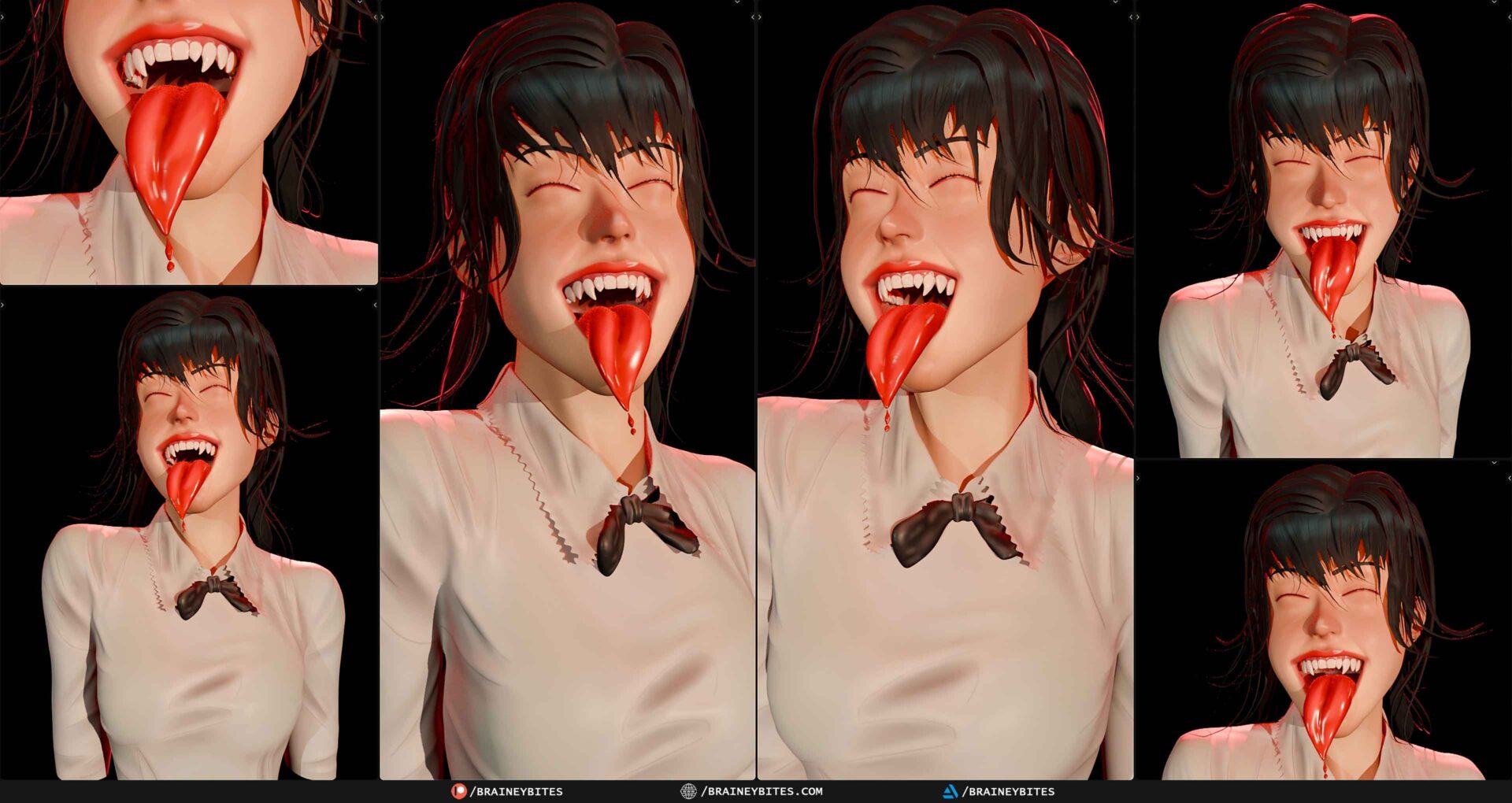
This started the way every one of these starts, with a single sphere sitting in an empty scene. Five hours later there was a gothic female bust with fangs, a collared shirt, a bow tie and hand-painted skin. What follows is a walk through how it actually went, not a tutorial — I’m not teaching a method here, I’m just describing what happened and where the time went, because the timelapse moves fast enough that a lot of the work disappears.
The head came first, and it took longer than it looks
The opening stretch is pure blockout. Grab and Clay Strips, pushing the sphere around until the skull mass reads, then slowly working down into the face. The lips and the mouth came early because the open-mouth expression with the long tongue was the thing I wanted to get right before anything else — if that didn’t land, the rest of the sculpt wasn’t worth building. The fangs followed, then the ears, which always take more passes than I expect. An ear is a small thing that goes wrong in an obvious way.

By about twenty minutes in the head was recognisable, and that’s usually the point where the sculpt starts to feel like it’s going somewhere.
The collar and the cloth were the real work
If you watch the timelapse and feel like the shirt appears out of nowhere, that’s a fair reaction, and it’s the part I was least happy with in the original edit. The collar went through a blockout, a retopology pass, and then two separate rounds of shaping before it sat on the shoulders properly. The bow tie was its own small project. And then the folds — sleeve folds, the fabric falling across the chest, the stitched edge along the collar — which is slow, fiddly work that doesn’t photograph well but makes the difference between cloth and a shape that happens to be near a body.
I’ve cut a separate video that follows only the cloth, start to finish, because compressing it into the main timelapse never gave it enough room.
Hair is patience
The hair went base first, then strands, then volume. Blender’s curve-based grooming is genuinely good for this, but it rewards sitting with it. Individual strands, adjusting flow, going back in when a section reads as a solid mass instead of hair. This is the longest continuous stretch in the recording and it’s the one I speed up hardest in the edit, because watching it in real time is an exercise in devotion.

Painting was the fastest and most satisfying part
Texture paint came last. Teeth and the lip colour first, then skin tones, then the eyes, then the shirt. After hours of grey clay the moment colour goes down is genuinely a relief — the character stops being a form and starts being a person. The red of the tongue against the white shirt was the whole point of the design, and it only took a few minutes once everything else was in place.
What I’d do differently
Spend longer on the collar before moving on. I refined it twice because I moved to the next thing too early, and going back in after the body had progressed was harder than doing it properly the first time. Other than that, this one went about as smoothly as these ever do.

The full timelapse, the condensed cut, the cloth-focused version and the uncut session are all on the channel. The original concept reference came from Pinterest and the original artist is unconfirmed — if it’s yours, get in touch and I’ll credit you.
