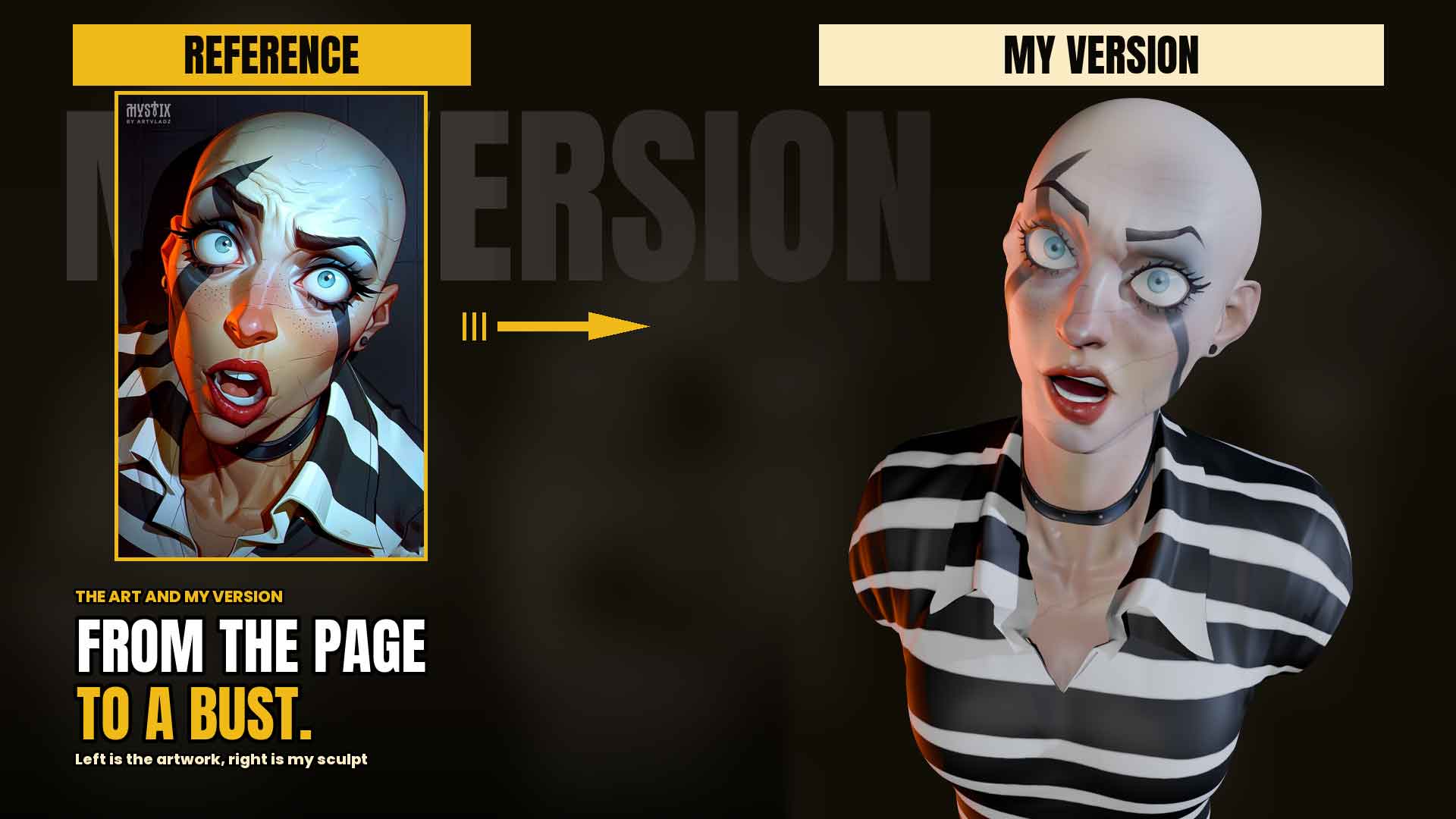
Three and a Half Hours With One Sphere
Every character I make starts the same way, with a default sphere sitting in an empty scene. It’s a strangely reassuring way to begin. There’s nothing to ruin yet, no decisions to defend, just a grey ball waiting to become something. Three and a half hours later there’s a face looking back at me, and I still find the middle part of that journey harder to explain than either end of it.
This is a writeup of that middle part. It isn’t a tutorial — there’s no narration on the video and there’s no instruction here either. It’s just an honest account of how this particular sculpt came together, including the stretches that took far longer than they should have.
The first few minutes matter more than they look like they do
Within about a minute the sphere stops being a sphere. It gets pulled into a rough skull shape, a neck appears underneath it, and suddenly there’s something with a front and a back. On the timelapse this passes in a couple of seconds and looks almost careless.
It isn’t. Nearly every problem I ran into later traced back to this stage. When a jaw refuses to sit right at the two-hour mark, or an ear ends up slightly too high and the whole head reads as lopsided, the cause is almost never the detail work — it’s a proportion I didn’t resolve while the mesh was still simple enough to fix easily. I’ve learned to spend longer here than feels productive, because this is the cheapest moment to be wrong.

The eyes change everything
I sculpted the ears first on this one, then the nose and mouth, then opened up the eye sockets. And then the eyeballs went in.
That moment is the closest thing sculpting has to flipping a switch. Before it, you’re pushing clay around and judging shapes against your own sense of what looks right. After it, there’s a face looking at you, and every decision from then on gets measured against whether the character seems alive or not. It’s a much less forgiving standard, and it arrives suddenly.
The pose didn’t make it easier. This character’s head is tilted back with the mouth open, which means the underside of the jaw and the whole front of the neck are on full display from most angles. Those are areas I’d normally get away with treating loosely. Here they had to be sculpted properly, because there was nowhere to hide them.

The collar took longer than the face
If you’d asked me beforehand which part of this sculpt would eat the most time, I’d have guessed the face. It wasn’t. It was the collar.
The shirt isn’t sculpted cloth — the collar and sleeves are built as real geometry, which quietly turns a sculpting session into a modelling session. Loop cuts, a mirror modifier, and a long stretch of nudging vertices until the collar points sat flat against the chest instead of hovering slightly off it. It’s fiddly, unglamorous work, and on the timelapse it’s the part where the mesh appears to barely change for minutes at a time.
I don’t regret doing it that way. Geometry holds an edge that sculpted cloth doesn’t, and the striped shirt needed those crisp collar points to read properly. But it’s worth being honest that “character sculpt” often means spending a third of your time not sculpting.

Small details, disproportionate time
The mouth got refined using masks, which is the cleanest way I know to work on lips without accidentally smearing the surrounding face. The eyebrows and eyelashes are sculpted geometry rather than painted texture, because they hold their shape in silhouette — turn the head to profile and painted lashes vanish, while sculpted ones still read.
None of this is visible as *effort* in the final render. That’s usually how it goes with the details that matter.

Then the colour lands
The texture painting stage is the one that always surprises me watching it back. The shirt went from grey clay to stripes, then the skin tone went on, then the lips, then the dark markings across the face, and finally the eye colour.
The form hadn’t changed at all during this. Every shape was already there. But the sculpt doesn’t read as a *character* until the colour arrives — before that it’s a study, and afterwards it’s a person. I find that slightly humbling as someone who spends most of the session on form. The shapes do the work, but the paint is what makes the work legible.

Lighting is where you find out
The last stretch is lighting and rendering, and it functions as a test. You’ve spent three hours looking at flat viewport shading, which is generous — it hides soft edges and forgives asymmetry. Directional light doesn’t. Shapes that looked resolved can suddenly show a flat plane where there should be a curve.
This one held up better than I expected, though I’d light it earlier next time. There’s no good reason to wait three hours to find out whether your forms actually work.

The version nobody posts
The timelapse compresses three and a half hours into something watchable, and the short cut compresses it further. Both are honest edits — nothing is reordered, and every stage appears in the order it happened — but compression inevitably makes the process look smoother and more decisive than it was.
So the full unedited session goes up too, on the archive channel. Pauses, re-dos, the stretches where I clearly wasn’t sure what I was doing. If you’re learning, that version is probably more useful than the timelapse. It’s certainly more accurate.
