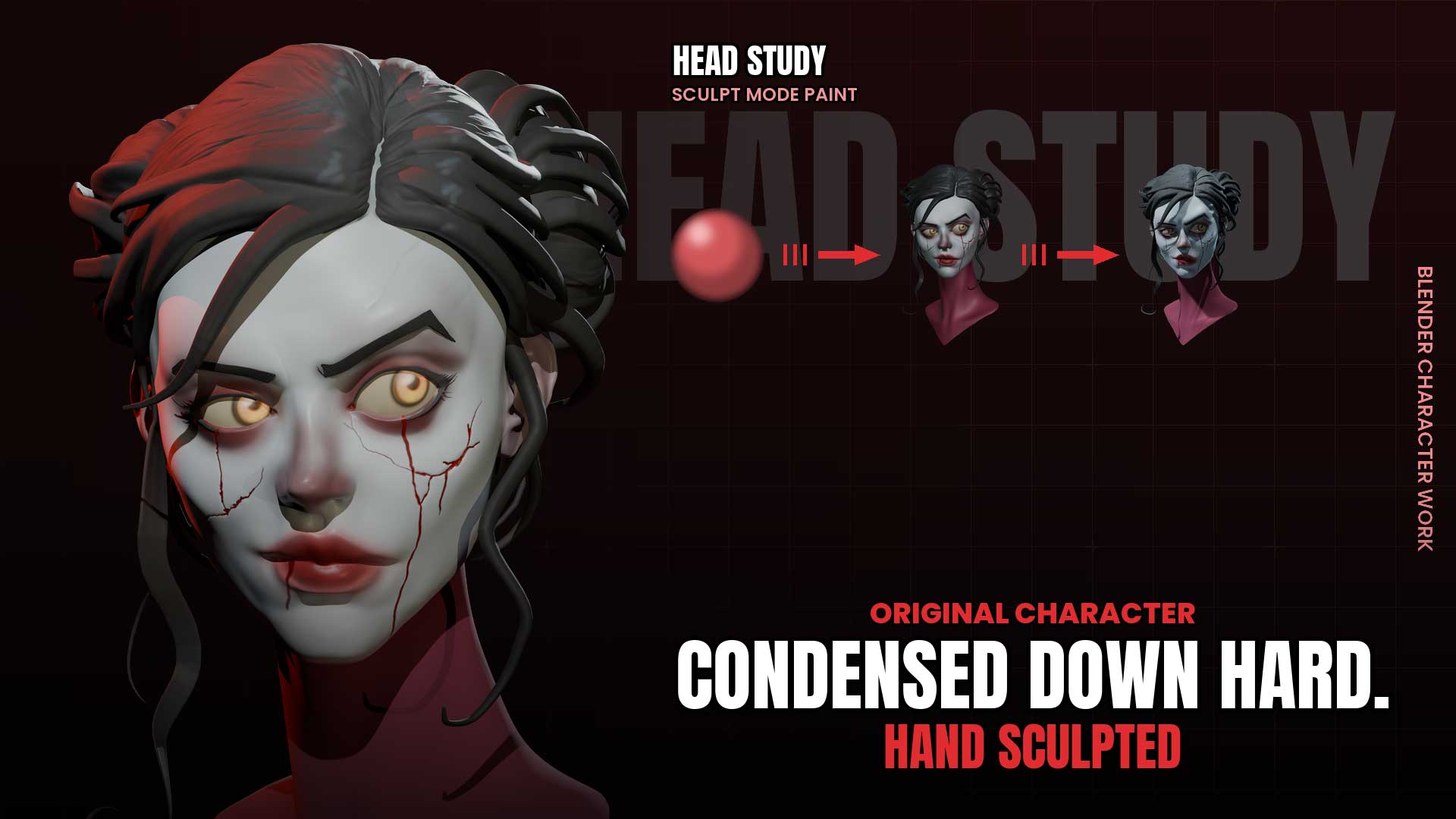
Every sculpt starts the same way — a blank mesh and a reference image that won’t leave your head. This time, that reference was a cracked, blood-streaked female face I came across on Pinterest, and I knew almost immediately I wanted to try building it from scratch in Blender.
Starting From a Blank Canvas
No base mesh shortcuts, no pre-made head to modify — this piece began as a simple sphere, shaped gradually into the underlying bust and facial structure. The early stages are always the slowest part: getting proportions, eye spacing, and jawline to feel believable before any of the character’s detail shows up.

Building the Cracks and the Detail
Once the base sculpt felt solid, the real character work started — the fractures running down the cheeks, the tear-like blood trails from the eyes, and the porcelain-toned skin that gives the whole piece its unsettling, delicate feel. These details were sculpted directly, not added as a texture overlay, so the cracks actually sit in the geometry.
Texturing in Sculpt Mode
All the color work — the pale skin, the deep red around the eyes, the blood at the cracks and lips — was painted directly in Blender’s sculpt mode rather than a separate texturing app. It keeps the whole process in one workspace and lets the color decisions happen while still shaping the form.
Rendering the Final Piece
The final renders were done entirely in Blender, using a mix of lighting setups to show the character from a few different moods — a warm cinematic pass, a cold blue-toned version, and a straightforward studio pass to show the sculpt clearly without any color grading.

A Note on the Process
This is not a tutorial. It’s a work-in-progress recording of one sculpt, start to finish, shared because I enjoy showing the process rather than just the result. The full timelapse, a shorter edited cut, and the complete raw unedited footage are all available for anyone curious about how a piece like this actually comes together — links are on the video pages. The .blend file for this piece is shared with supporters on Patreon.
Total time from blank canvas to finished bust: roughly 4 hours.
