
It started with a scroll on Pinterest.
I came across a piece of concept art by Miji Lee (@miji0328 on Twitter/X) — a stylized female character with a wrapped head, dramatic facial structure, and an elegance that stops you mid-scroll. I saved it immediately. I knew I wanted to sculpt it.
But before picking up my pen tablet, I wanted to try something first.

Testing Pixal3D — AI-Generated 3D from a Single Image
Pixal3D is a local AI tool built on Trellis — a 3D generation model that takes a single image and produces a 3D mesh from it. I ran Miji Lee’s concept art through two model versions:
- The Q5KM model — a compressed, faster version
- The BF16 model — higher precision (this one produced what I’m calling the “red-eye version” in the video)
Honestly? The results were genuinely impressive for a fully automated process. The AI captured the general head shape, the wrapped hair silhouette, and the proportions reasonably well. But — as with all current AI-generated 3D — the surface quality, likeness accuracy, and the intentional design decisions that make a character feel right were all missing in ways that matter to a sculptor.
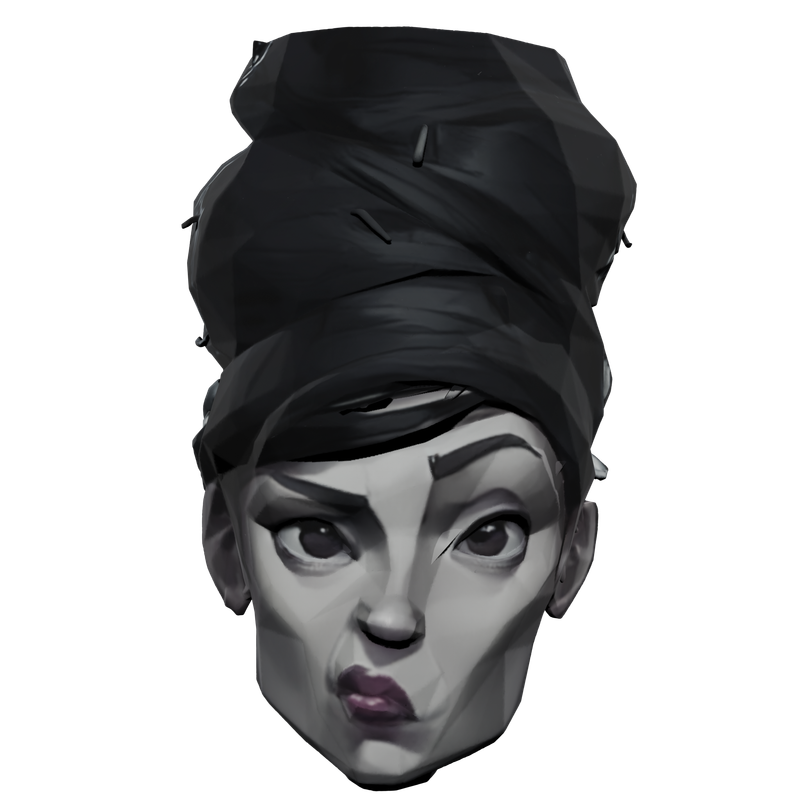
The AI produced a shape. A starting point. Not a character.
Then I Sculpted My Version
With both AI outputs visible as a humbling reference, I opened Blender and started from scratch. The goal was always a stylized interpretation — not a 1:1 match of the concept. Capturing exact facial ratios and likeness from a reference is something I’m still developing deliberately, sculpt by sculpt.
I worked through the full form in Blender’s sculpt mode, built the wrapped headwear geometry, and painted texture directly in Blender’s texture paint mode. Final render was in EEVEE, which gives the clean, stylized look you see in the thumbnail.
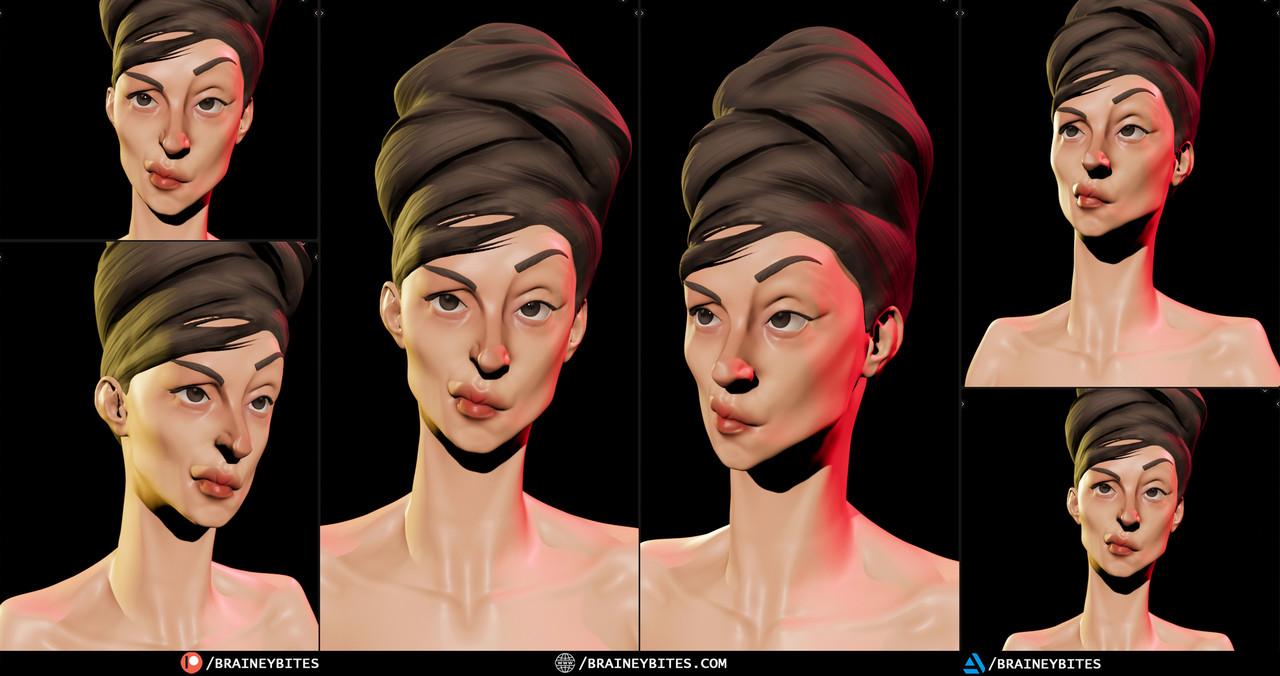
AI vs Human — An Honest Comparison
Watching both versions side by side is one of the more instructive things I’ve done as a 3D artist. The AI works in seconds. It doesn’t deliberate. It doesn’t understand what makes a character feel alive.
A hand sculptor — even a developing one — brings intent to every decision: the slight tilt of the head, the weight behind the eyes, the geometry of the lip. The AI captured a silhouette. I tried to capture a feeling.
You decide which one came closer.
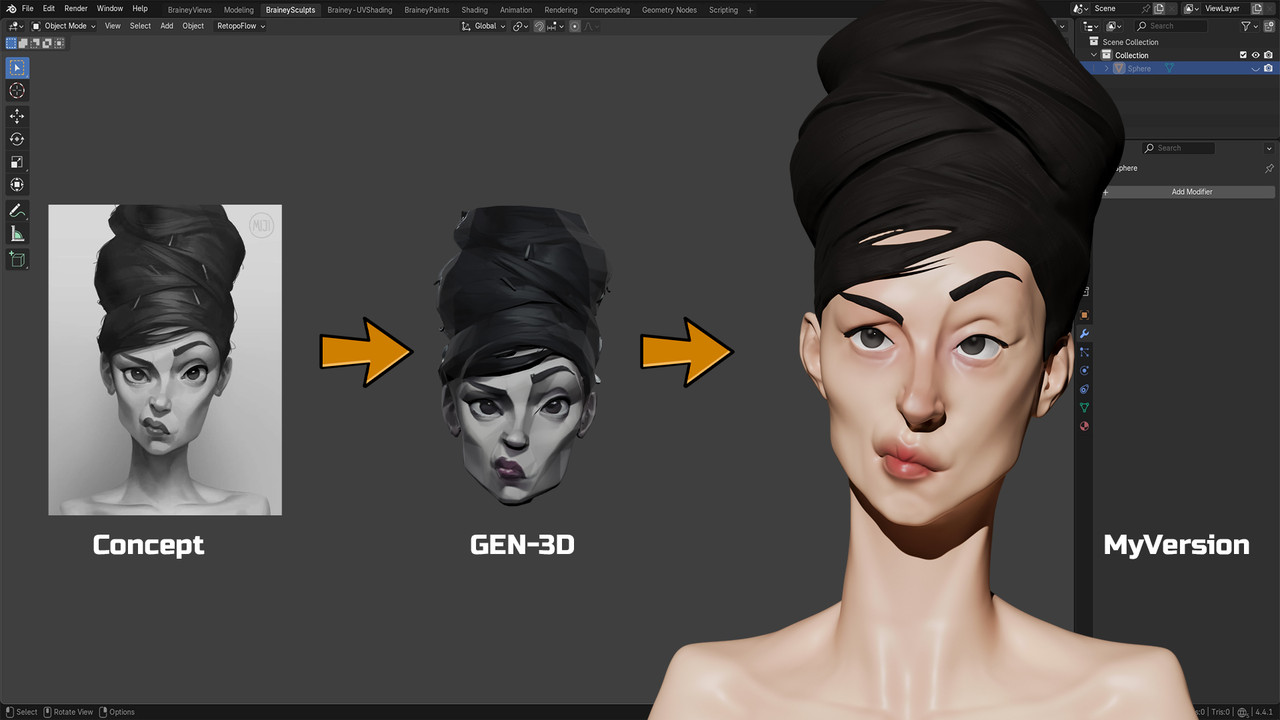
Watch the Full Timelapse → BraineyBites
Watch the Sneak Peek → BraineyPeeks
Watch the Full Raw Process → BraineyBitesPatreon
━━━━━━━━━━━━━━━━━━━━━━━━━━━━
Tools: Blender 4.x, Pixal3D (Trellis AI), Blender Texture Painting, EEVEE
Original Concept Art: Miji Lee | @miji0328 on Twitter/X
